Stateful Node Actions
These actions maintain a stateful node’s configuration while applying changes to the underlying VM, and take the persistence definitions into consideration (for each node).
To change the state:
- In the main left menu, click Elastigroup > Stateful Nodes.
- Select the stateful node you want to change.
- In the top right, click Actions and click the required action.
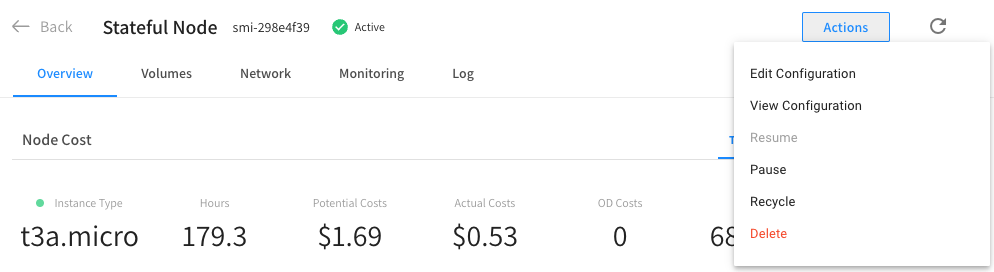
Pause
You can pause a running node. A paused node is shown as grayed out. The node's state is saved (according to the persisted resources configuration). The actual Spot node will be terminated, and when the stateful node is resumed, the previous state of the data, tags, and network interfaces stay the same.
Resume
You can resume a paused node after it was paused. The node will resume, and a new VM will be launched together with the persisted resources that were saved while the node was paused.
Recycle
This action initiates a pause operation, immediately followed by a resume operation. You can recycle a stateful node in a stopped state.
Delete
There are different ways to delete a stateful node.
-
Terminate VM: yes/no.
-
When “Terminate VM” = OFF: Cannot select: Delete disks, Delete network interfaces, Delete public IP
-
When “Terminate VM” = ON: Deregister VM from Load Balancer - selected by default and cannot be deselected.
-
When “Terminate VM” + Delete public IP = ON: Delete network interfaces - selected by default and cannot be deselected.
-
-
Snapshots + disks + public IP + network interfaces: TTL default 96. You can configure the TTL using the Spot API.
-
Deregister the VM from the Load Balancer - This indicates whether to deregister the stateful node's VM from any load balancer. This can be changed to false only when
shouldTerminateVmsisfalse.